Notifications
Configure event sounds, desktop notifications, and terminal alert signals.
Configure alerts
Notifications are crabcode-specific and apply only to crabcode config files. Each event can control terminal alert signals, audio, and native desktop notifications from one place.
{
  "notifications": {
    "terminalCondition": "unfocused",
    "complete": {
      "terminal": "auto",
      "soundEnabled": true,
      "soundFile": "",
      "desktop": true,
    },
    "subagentComplete": {
      "terminal": "auto",
      "soundEnabled": true,
      "soundFile": "/absolute/path/to/subagent-complete.wav",
      "desktop": false,
    },
    "error": {
      "soundEnabled": true,
      "soundFile": "",
      "desktop": false,
    },
    "permission": {
      "terminal": "auto",
      "soundEnabled": false,
      "soundFile": "/absolute/path/to/permission.wav",
      "desktop": false,
    },
    "question": {
      "terminal": "auto",
      "soundEnabled": false,
      "soundFile": "/absolute/path/to/question.wav",
      "desktop": false,
    },
  },
}
Events are complete, subagentComplete, error, permission, and question.
complete, subagentComplete, and error default to soundEnabled: true and use their own bundled sounds when soundFile is unset. subagentComplete runs whenever a subagent finishes. When omitted, it inherits the complete event's enable, terminal, and desktop settings, but not its custom soundFile; the dedicated bundled subagent completion sound is used instead. Configure subagentComplete separately to use a custom sound or notification behavior. permission and question default to silent unless you enable them and provide a file.
Terminal Notifications
The terminal property is useful for agent orchestrator apps (i.e. Zed, Superconductor, T3 Code) that listen to terminal notifications. In Zed, BEL marks the terminal as notified, which lets Zed render the accent dot on the terminal tab or terminal thread entry.
notifications.terminalCondition controls when terminal signals are emitted.
Other terminals may play an audible bell, so use "enabled" only when you want that behavior outside supported terminals.
Desktop Notifications
The desktop property sends native desktop notifications for an event. Desktop notifications are best-effort and must be enabled per event with desktop: true.
macOS
On macOS, crabcode uses a small local Crabcode Notifier.app helper so Notification Center can show the crabcode icon on the left side of the notification. The helper is generated locally under crabcode's state/cache directory and is ad-hoc signed; it is not published to the App Store and does not require an Apple Developer account.
The first time crabcode sends a desktop notification, macOS may show a permission prompt. Choose Allow, or enable it later in System Settings → Notifications → Crabcode. If notifications are disabled there, macOS suppresses crabcode desktop notifications.
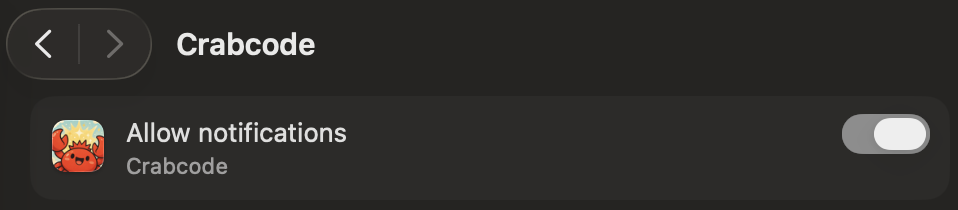
Use notifications.macosBackend to choose the macOS desktop notification backend:
{
  "notifications": {
    "macosBackend": "osascript",
    "complete": {
      "desktop": true,
    },
  },
}Linux
On Linux, crabcode uses the available desktop notification backend, such as notify-send, when present.
Windows
On Windows, crabcode uses PowerShell toast notifications when PowerShell is available.